FAQ
Topics
Mobile Joomla! Setup
General about Mobile Joomla!
Questions about Premium Products and Upgrading
Mobile Joomla! Setup
How do I install Mobile Joomla! on my site?
Glad that you asked! Please see our hands-on tutorial video guide for installing Mobile Joomla! for the exact steps.
Menu is not showing on my site?
If you didn't already, please see http://www.mobilejoomla.com/documentation/12-getting-started/56-creating-mobile-menus.html
If you cannot resolve the issue, please send us a note at /support at mobilejoomla.com/
How to check or change the position of the mobile menu?
Go to Extensions -> Module Manager -> Find your menu -> Position is located on the right side based on your template (Ex: Mobile Basic is on mj_top_3)
How do I change "Mobile Version" /"Standard Version" language?
Q: My mobile site is in different language. How do I change "Mobile Version" /"Standard Version" to this language? A: Go to Module Manager --> Select Markup --> rename Mobile Link Text and Desktop Link Text.
App mode - does this create an like app shortcut on mobile phone? Can I make this available as an app download?
Mobile Joomla! App Mode means an iOS web app, i.e. shortcut on the homescreen - it's not downloadable app as in the Appstore. See Apple documentation When enabled, when the user opens your website on an Apple device, she will be asked if she wants to install the homescreen shortcut.
Is there a way to disable or enable Mobile Joomla for specific content?
Yes. Install MJ Content extension: http://www.mobilejoomla.com/extension/advanced/mobile-content.html
How to set Mobile Joomla! to only load on a selected URL / selected pages, and not on other ones? Or, how to make Mobile Joomla! not to load on home page?
MJ 1.x -> Use MJ Tune plugin to disable MobileJoomla for certain menu items (just select all items related to component you'd like to use desktop template for)
MJ 2.x -> In the Mobile Joomla admin settings, go to Advanced settings and under Compatibility section use the "Exclude menu items" to prevent MJ loading on selected pages.
When upgrading from Community version to Mobile Joomla Basic, do we need to re-install the new package MJ Basic?
Not necessarily. Installing the Basic package zip file will just change the title.
Why are ads still showing even though I bought Basic?
This may be due to multiple reasons:
First of all, it can take up to 1.5 hours for ads disappear, due to caching on both server and client side. You can try to clear browser's cache on your phone or check it on another phone (or just in another browser).
If the ads still appear, please note that MJ Basic is licensed to the domain name you set in order form. If you think you may have had a typo or otherwise incorrect domain in the order, please let me know: your domain name, your MJ username, and your Order or Purchase number. We will correct your domain then.
How can I buy multiple licenses under same account?
There are two different ways to buy more licenses:
1) you can create a new account for the new domain/client (esp. if you want to hand it over later)
2) you can add multiple licenses in one account this way:
You can order additional MJ Pro licenses at www.mobilejoomla.com/account.html?view=plan&task=subscribe&plan_id=2
MJ Club licenses at http://www.mobilejoomla.com/account.html?view=plan&task=subscribe&plan_id=6
Flat: http://www.mobilejoomla.com/account.html?view=plan&task=subscribe&plan_id=10
Elegance: http://www.mobilejoomla.com/account.html?view=plan&task=subscribe&plan_id=1
iOS 9: http://www.mobilejoomla.com/account.html?view=plan&task=subscribe&plan_id=17
Just please note that when doing this you can renew these subscriptions only at My Orders page (www.mobilejoomla.com/orders.html).
Where can I find the latest MJ 1.x version?
A) You can go to:
MJ Basic 1.2.13 Download Link: http://www.mobilejoomla.com/extension/get/mobile-joomla-1x-basic.html
MJ Pro 1.2.15 Download Link: http://www.mobilejoomla.com/extension/get/mobile-joomla-1x-pro.html
B) Or if you have Mobile Joomla! installed on your site, just update it to the latest version from the admin using the built-in update mechanism.
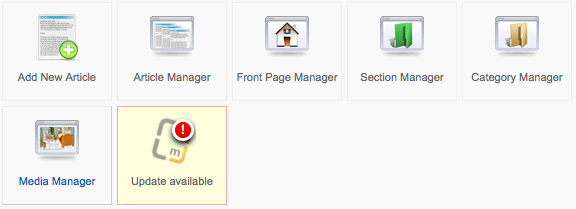
Upgrade Mobile Joomla! 1.x to 2.x
To upgrade Mobile Joomla 1.x to 2.x release, download the latest Mobile Joomla! 2.x package and install it over your existing Mobile Joomla! 1.x installation. Such upgrade should kept all your settings (where it is possible). To be sure, don't forget to make a backup of your website before upgrade. Note that Mobile Joomla! 1.2.13 was released in 2015 and doesn't support many of new mobile devices, so we insistently recommend you to do upgrade.
General about Mobile Joomla!
What is Mobile Joomla! and what are the premium products?
Mobile Joomla creates a mobile version of your website, meaning it will detect incoming devices and offer the mobile optimized template to mobile devices, compressing images and removing any desktop-only code. You may need to tweak the settings a bit if you want the mobile version to match very closely the look of the normal website.
Mobile Joomla! functionality is based on two stages:
- Pre-stage: type of device is detected, and the template is changed to mobile if necessary (it's also possible not to change template at all, e.g. if a responsive template is in use), some modules and plugins may be disabled, and homepage may be changed to "mobile" one if wished.
- Post-stage: rescaling of large images, removing unsupported tags (e.g. flash banners, etc.).
So, the website content is the same, only the "envelope" (template and set of modules) will be changed.
We have a public support forum and email, and aim to help everyone there in due time. We can help to solve any set up issue.
The Pro version offers always-up-to-date device database, i.e. recognition for new mobile devices are added automatically with no manual updates needed. There are also much more mobile simulator preview views available in the admin interface to review changes on the fly. With Pro you can also use a separate template for tablet devices if preferred, support for hi-res retina images, and backup & restore admin functionality. The Pro version can also be used to speed up loading of 3rd party templates on mobile.
Our premium templates Flat/Elegance/iOS9 provide improved look and feel for the mobile site and customisable settings like AJAX navigation. You can find the descriptions and mobile demo links from their pages: Mobile Joomla! Templates
These templates also include advanced features like improved Lazy Loading, as well as combines your JavaScript and CSS files and minimizes them for smaller size and fewer HTTP requests (each HTTP request means delay due to inherent mobile network latencies.
Oftentimes customers who want the best experience and don't already have mobile-optimized template get Pro+Flat or Elegance/iOS9.
Does Mobile Joomla! create a new version of the site? How does it work basically?
To clarify, Mobile Joomla uses your existing website data and the same URL. MJ installs as a Joomla extension, and after that recognizes all incoming mobile devices. When mobile device is accessing the site, MJ will show that user the template that has been selected in MJ settings for each type of mobile devices. Now, for the mobile template it is possible to use a) the default mobile template included in MJ, or b) our premium mobile templates, or c) some other (external) mobile template or a responsive template on the site.
In the case of a) and b), our templates make sure the site looks right on mobile, without needing to pinch zoom etc. In c) the external template would be responsible for the display part, but in all a/b/c cases, the core "engine" of MJ will make sure that the site loads fast on mobile, non-mobile-compatible elements are stripped off, you can choose different content for mobile if wanted, and quite a bit more.
Why use MJ with Joomla! 3.x?
While Joomla! 3.x uses the Bootstrap framework, it doesn't really optimize the delivery of your website data to mobile devices - all browsers have to download the same resources. And the page size obviously affects your site's loading time, which greatly affects your mobile bounce rate. In our tests, oftentimes sites would perform 100-400% faster on mobile using server-side optimization (www.mobilejoomla.com/blog/157-400-faster-responsive-joomla-templates-with-mobile-joomla.html).
Mobile Joomla! can also optimize 3rd party responsive templates (just select the template of your choice in Mobile Joomla! admin settings), it:
- Automatically delivers each device the right image sizes so your mobile visitors don't have to download desktop-size images.
- You can prevent certain (e.g. desktop-only) plugins/modules from mobile views for better user experience (not just hide them, but actually prevent them from being even send to the mobile device -> faster loading).
- Our premium templates Flat/Elegance include advanced features like improved Lazy Loading (www.mobilejoomla.com/blog/211-welcome-lazy-load-xt-for-jquery-images-videos-media.html), as well as combines your JavaScript and CSS files and minimizes them for smaller size and fewer HTTP requests (each HTTP request means delay due to inherent mobile network latencies; www.mobilejoomla.com/blog/172-responsive-design-vs-server-side-solutions-infographic.html).
- Combine and minify JS/CSS to reduce HTTP requests and increase loading speed.
Questions about Premium Products and Upgrading
I cannot download [Product] even though I paid for it, it asks me to buy again?
Please login to mobilejoomla.com first, and then go to the product page. Then you should see a Download button instead of Buy. If that's not the case, please us us know at /support at mobilejoomla.com/
Why the MJ admin displays License expired notification?
Basically on all non-licensed domains you will see a message in the Joomla backend displaying that the Mobile Joomla license is expired/not valid. For internal development/testing sites you can just ignore the message. The non-licensed domains will not have access to our online device database for mobile device recognition -- they will instead use the offline device DB included in the product. The difference is not huge initially, but may grow as new devices are introduced over time. In most cases, your QA results on the test site vs. the final domain should be quite similar despite of this.
Upgrade Community version to MJ Basic, do we need to re-install the zip ?
Q: When upgrading from Community version to Mobile Joomla Basic, do we need to re-install the new package MJ Basic? A: Not necessarily. Installing the Basic package zip file will just change the title.
How can I view my invoice?
You can view your invoice(s) at http://www.mobilejoomla.com/orders.html Select your order and click "View" to see the invoice. If that is not satisfactory enough, we can provide PDF version as well if you let us know at /support at mobilejoomla.com/